
Gwala Bet Tanzania app – bet and play on mobile
The Gwala Bet Tanzania Android app puts the full sportsbook, Aviator crash game, casino slots and live dealer tables on your phone. It runs on Android 5.0 and above, weighs 18 MB and takes under two minutes to install. Designed for Tanzanian network conditions, it loads odds pages in under 3 seconds on a standard 3G connection.
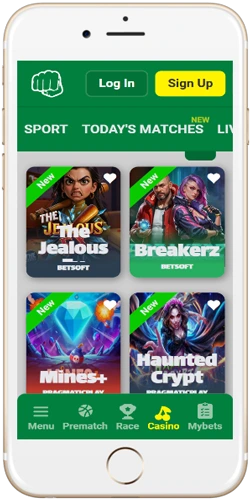
Android and iOS – what is available on each platform
The Android APK is the primary mobile option. It is a direct download from gwalabet-tanzania.com, not from Google Play, so you need to allow installation from unknown sources in your Android settings first. The process takes about 30 seconds to enable. iOS users access the platform through the Safari mobile browser, which covers all features except push notifications for live odds changes. Both options support M-Pesa, Tigo Pesa, Airtel Money and HaloPesa deposits without leaving the app or browser tab.
Performance between the two differs in a few practical ways. The Android app caches match data locally, so the sportsbook stays usable on a weak signal around areas like Dodoma or rural Mwanza. The iOS browser version re-fetches data on each visit. For players in Dar es Salaam with reliable 4G, the difference is minimal; for those in Kilimanjaro or Mbeya with patchy coverage, the Android app has a real edge.
 Android app
- Direct APK download, 18 MB
- Android 5.0 and above
- Offline data caching
- Push notifications for live odds
- Full sportsbook and casino access
- M-Pesa and mobile money built in
 iOS browser (Safari)
- No download required
- iOS 13 and above recommended
- No offline caching
- No push notifications
- Full sportsbook and casino access
- M-Pesa and mobile money supported
How to install the Gwala Bet Tanzania Android app
The installation takes under two minutes on most Android devices. The only preparation needed is enabling installs from unknown sources, which is a one-time setting. After that, every future update installs the same way. Players in Arusha and Zanzibar who use older Android 6 or 7 devices have confirmed the process works identically; the APK is not version-locked above Android 5.0.
If the download stalls, it is usually a mobile data issue rather than a server problem. Switch from data to Wi-Fi or try again during off-peak hours. Players on Airtel Tanzania report the APK downloads fastest between 6 am and 9 am before network congestion builds up.
What the app covers – sports, casino and payments
The app gives full access to every part of the platform. The sportsbook loads the NBC Premier League, CAF Champions League and English Premier League odds by default on the home screen, since those three competitions cover the majority of bets placed by Tanzanian users. Live in-play betting works with odds updating every 3 to 5 seconds during active matches. The Kariakoo Derby between Simba SC and Yanga SC reliably generates the highest live bet count of any domestic fixture, often exceeding 1,000 concurrent live bets during the second half.
Common issues and how to fix them
Most installation problems come down to three things: the unknown sources setting not being saved, insufficient storage space, or a download that cut out mid-way on a weak connection. The table below covers the issues Tanzanian players report most often, along with the fix for each one.
| Issue | Likely cause | Fix |
|---|---|---|
| APK won't install | Unknown sources not enabled | Go to Settings, Security, enable install from unknown sources, then retry |
| Download stops at 60% | Weak mobile data signal | Switch to Wi-Fi or move to better coverage, then restart download |
| App crashes on open | Android version below 5.0 | Check Android version in Settings, About Phone; upgrade OS if possible |
| M-Pesa deposit not reflecting | USSD session timed out | Check M-Pesa balance; if deducted, contact support with transaction ID |
| Odds not loading | No internet connection | Check mobile data or Wi-Fi; toggle airplane mode off and on to reset connection |
For anything not covered in the table, the support team is reachable at support@gwalabet-tanzania.com. Response time on weekdays is typically 2 to 4 hours; weekends run closer to 6 to 8 hours. Players who include their registered phone number in the first message get faster resolution because account lookup takes roughly half the time.